## Step 8: Translatable Texts
In this step we move the texts of our UI to a separate resource file.
This way, they are all in a central place and can be easily translated into other languages. This process of internationalization – in short `i18n` – is achieved in OpenUI5 by using a special resource model and the standard data binding syntax, but without a preceding "`/`" character.
***
### Preview
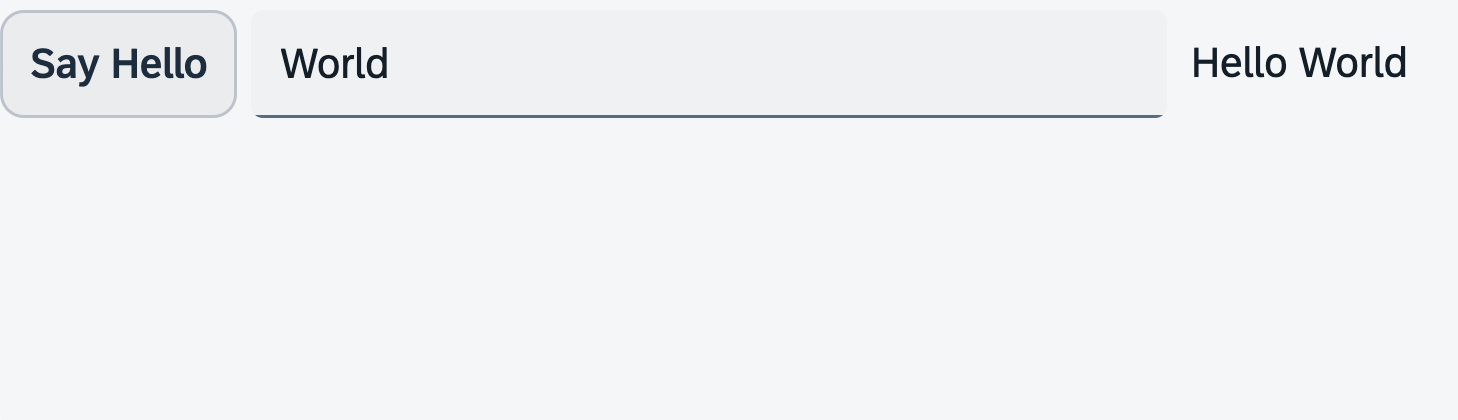
*An input field and a description displaying the value of the input field \(No visual changes to last step\)*
You can access the live preview by clicking on this link: [🔗 Live Preview of Step 8](https://ui5.github.io/tutorials/walkthrough/build/08/index-cdn.html).
***
### Coding
You can download the solution for this step here: [📥 Download step 8](https://ui5.github.io/tutorials/walkthrough/walkthrough-step-08.zip).
You can download the solution for this step here: [📥 Download step 8](https://ui5.github.io/tutorials/walkthrough/walkthrough-step-08-js.zip).
***
### webapp/i18n/i18n.properties \(New\)
The `i18n` file allows you to store translated texts for multiple languages, making your application accessible to a wider audience. In oder to achive this, the `properties` file for texts contains name-value pairs for each element. You can add any number of placeholders to the texts by enclosing them in curly brackets with corresponding numbers. These numbers indicate the sequence in which the placeholders are accessed \(starting with 0\).
To set up the `i18n` file, we navigate to the `webapp` folder and create a new folder named `i18n`. Inside this folder, we place the `i18n.properties` file, which serves as a storage for our translated texts. We add two name-value pairs to our properties file: The `showHelloButtonText` name represents the text for the button on our App view. The `helloMsg` name represents the greeting message we will display in the message toast. To include the appropriate recipient's name in the message, we use a placeholder with the greeting message text.
```ini
showHelloButtonText=Say Hello
helloMsg=Hello {0}
```
In this tutorial we'll only have one properties file. However, in real-world projects, you would have a separate file for each supported language with a suffix for the locale, for example`i18n_de.properties` for German, `i18n_en.properties` for English, and so on. When a user runs the app, OpenUI5 will load the language file that fits best to the user's environment.
***
### webapp/controller/App.controller.?s
In the controller, we'll create a new resource model that refers to our resource bundle file (`i18n.properties`) and link it to the view associated with the controller. This allows us to bind control properties in the view to translatable texts. We'll also modify the `onShowHello` event handler function to replace the static "Hello World" text with a dynamic greeting text.
To connect our resource bundle to our view, we instantiate a `ResourceModel` in the `onInit` function of our controller. We specify the `bundleName` parameter to point to our resource bundle file. Then, we use the `setModel` function of the view to set this resource model as a named model with the key `i18n`.
In the `onShowHello` event handler function, we first get access to the data model associated with the view. We use the `getProperty` method with the data path to the recipient's name as an argument to retrive the corresponding value. Next, we get the resource bundle from the resource model named `i18n` which we just linked to the view. We do this by using the `getResourceBundle` method provided by the `ResourceModel` module. The resource bundle has a specific `getText` method, which returns a locale-specific string value for a given text key. It can also accept an array of strings as a second argument. When this argument is provided, the `getText` method uses the `sap/base/strings/formatMessage` API to replace placeholders in the text with the corresponding values from the arguments array. In our case, we use the second parameter of `getText` to replace the `helloMsg` text's placeholder with the recipient's name. The resulting string is then returned by `getText` and passed to the `show` method of the message toast control.
```ts
import MessageToast from "sap/m/MessageToast";
import Controller from "sap/ui/core/mvc/Controller";
import JSONModel from "sap/ui/model/json/JSONModel";
import ResourceModel from "sap/ui/model/resource/ResourceModel";
import ResourceBundle from "sap/base/i18n/ResourceBundle";
/**
* @name ui5.walkthrough.controller.App
*/
export default class AppController extends Controller {
onInit(): void {
// set data model on view
const data = {
recipient: {
name: "World"
}
};
const dataModel = new JSONModel(data);
this.getView()?.setModel(dataModel);
// set i18n model on view
const i18nModel = new ResourceModel({
bundleName: "ui5.walkthrough.i18n.i18n"
});
this.getView()?.setModel(i18nModel, "i18n");
}
onShowHello(): void {
// read msg from i18n model
const recipient = (this.getView()?.getModel() as JSONModel)?.getProperty("/recipient/name");
const resourceBundle = (this.getView()?.getModel("i18n") as ResourceModel)?.getResourceBundle() as ResourceBundle;
const msg = resourceBundle.getText("helloMsg", [recipient]);
// show message
MessageToast.show(msg);
}
};
```
```js
sap.ui.define(["sap/m/MessageToast", "sap/ui/core/mvc/Controller", "sap/ui/model/json/JSONModel", "sap/ui/model/resource/ResourceModel"], function (MessageToast, Controller, JSONModel, ResourceModel) {
"use strict";
const AppController = Controller.extend("ui5.walkthrough.controller.App", {
onInit() {
// set data model on view
const data = {
recipient: {
name: "World"
}
};
const dataModel = new JSONModel(data);
this.getView()?.setModel(dataModel);
// set i18n model on view
const i18nModel = new ResourceModel({
bundleName: "ui5.walkthrough.i18n.i18n"
});
this.getView()?.setModel(i18nModel, "i18n");
},
onShowHello() {
// read msg from i18n model
const recipient = this.getView()?.getModel()?.getProperty("/recipient/name");
const resourceBundle = this.getView()?.getModel("i18n")?.getResourceBundle();
const msg = resourceBundle.getText("helloMsg", [recipient]);
// show message
MessageToast.show(msg);
}
});
;
return AppController;
});
```
The bundle name \(`ui5.walkthrough.i18n.i18n`\) consists of the application namespace `ui5.walkthrough` \(the application root as defined in the `index.html`\), the folder name `i18n`, and finally the base file name `i18n` without extension. The OpenUI5 runtime calculates the correct path to the resource, to which `.properties` is then appended.
During runtime, OpenUI5 tries to load the correct`i18n_*.properties` file based on your browser settings and your locale. In our case we have only created the base `i18n.properties` file to make it simple. However, you can see in the network traffic of your browser’s developer tools that OpenUI5 tries to load one or more `i18n_*.properties` files before falling back to the default `i18n.properties` file.
***
### webapp/view/App.view.xml
We now bind the text properties in our XML view to the texts in our resource bundle. We connect text property of the button control to the `showHelloButtonText` key in the `i18n` model.
To correctly reference the model, the binding path should start with the model name `i18n`, followed by a '>'.
A resource bundle is a flat structure, therefore the preceding slash \(/\) can be omitted for the path to the text.
```xml
```
> 📝 **Note:**
> The description text is not completely localized in this example for illustration purposes. To be on the safe side, we would have to use a similar mechanism as in the controller to use a string from the resource bundle and replace parts of it. This can be done with the `sap/base/strings/formatMessage` formatter.
>
> Furthermore, `i18n` files only impact client-side application texts. Texts that are loaded from back-end systems can appear in all languages that are supported by the back-end system.
***
### Conventions
- The resource model for internationalization is called the `i18n` model.
- The base filename is `i18n.properties`.
- Resource bundle keys are written in \(lower\) camelCase.
- Resource bundle values can contain placeholders like `{0}`, `{1}`, `{2}`, …
- Never concatenate strings that are translated, always use placeholders.
- Use Unicode escape sequences for special characters.
***
**Next:** [Step 9: Component Configuration](../09/README.md "After we have introduced all three parts of the Model-View-Controller \(MVC\) concept, we now come to another important structural aspect of OpenUI5.")
**Previous:** [Step 7: JSON Model](../07/README.md "Now that we have set up the view and controller, it’s about time to think about the M in MVC.")
***
**Related Information**
[Resource Model](https://sdk.openui5.org/topic/91f122a36f4d1014b6dd926db0e91070.html#loio91f122a36f4d1014b6dd926db0e91070 "The resource model is used as a wrapper for resource bundles. In data binding you use the resource model instance, for example, to bind texts of a control to language-dependent resource bundle properties.")
[Use of Localized Texts in Applications](https://sdk.openui5.org/topic/91f385926f4d1014b6dd926db0e91070 "OpenUI5 provides two options to use localized texts in applications: The sap/base/i18n/ResourceBundle module and data binding.")
[API Reference: `sap.ui.model.resource.ResourceModel`](https://sdk.openui5.org/#/api/sap.ui.model.resource.ResourceModel)
[API Reference: `sap/base/i18n/ResourceBundle`](https://sdk.openui5.org/#/api/module:sap/base/i18n/ResourceBundle)
[API Reference: `sap/base/strings/formatMessage`](https://sdk.openui5.org/#/api/module:sap/base/strings/formatMessage)
[Binding Path](https://sdk.openui5.org/topic/2888af49635949eca14fa326d04833b9 "Binding paths address the different properties and lists in a model and define how a node in the hierarchical data tree can be found.")