tutorials
Step 3: Catch Invalid Hashes
Sometimes it is important to display an indication that the requested resource was not found. To give you an example: If a user tries to access an invalid pattern which does not match any of the configured routes, the user is notified that something went wrong. You might also know this as a “404” or Not Found Page from traditional web pages. In this step, we will implement a feature that detects invalid hashes and visualizes this in a nice way.
Preview
Not Found page
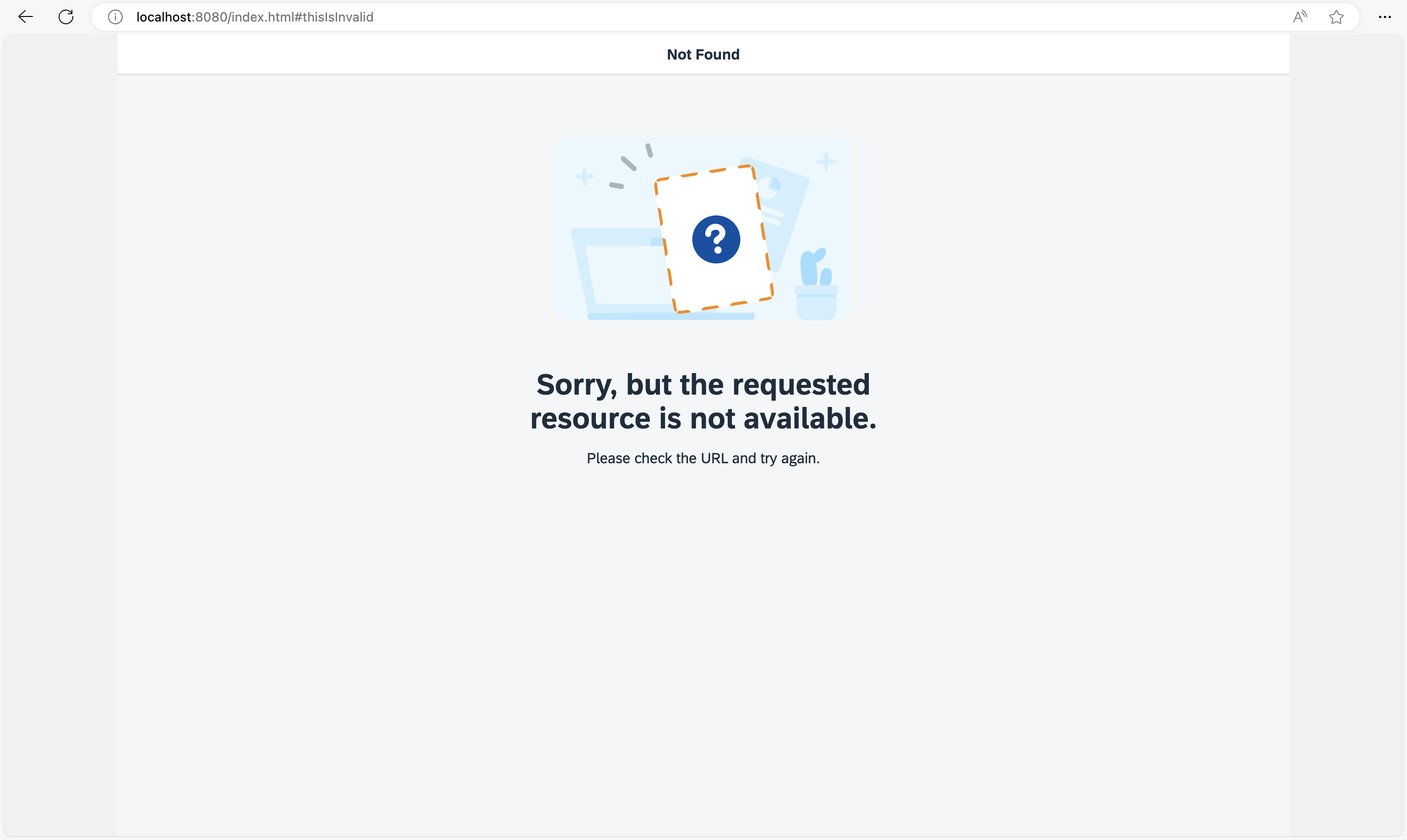
You can view this step live: 🔗 Live Preview of Step 3.
Coding
You can download the solution for this step here: 📥 Download step 3 (TS)📥 Download step 3 (JS).
Folder structure for this step
webapp/
├── controller/
│   ├── App.controller.ts/.js
│   ├── Home.controller.ts/.js
│   └── NotFound.controller.ts/.js
├── i18n/
│   └── i18n.properties
├── localService/
│   ├── mockdata/
│   │   ├── Employees.json
│   │   └── Resumes.json
│   ├── metadata.xml
│   └── mockserver.ts/.js
├── view/
│   ├── App.view.xml
│   ├── Home.view.xml
│   └── NotFound.view.xml
├── Component.ts/.js
├── index.html
├── initMockServer.ts/.js
└── manifest.json
webapp/manifest.json
{
  ...
  "sap.ui5": {
    ...
    "routing": {
      "config": {
        "routerClass": "sap.m.routing.Router",
        "type": "View",
        "viewType": "XML",
        "path": "ui5.tutorial.navigation.view",
        "controlId": "app",
        "controlAggregation": "pages",
        "transition": "slide",
        "bypassed": {
          "target": "notFound"
        }
      },
      "routes": [{
        "pattern": "",
        "name": "appHome",
        "target": "home"
      }],
      "targets": {
        "home": {
          "id": "home",
          "name": "Home",
          "level": 1
        },
        "notFound": {
          "id": "notFound",
          "name": "NotFound",
          "transition": "show"
        }
      }
    }
  }
}
Let’s extend the routing configuration in the descriptor by adding a bypassed property and setting its target to notFound. This configuration tells the router to display the notFound target in case no route was matched to the current hash. Next, we add a notFound target to the bypassed section. The notFound target simply configures a NotFound view with a show transition.
webapp/view/NotFound.view.xml (New)
<mvc:View
  controllerName="ui5.tutorial.navigation.controller.NotFound"
  xmlns="sap.m"
  xmlns:mvc="sap.ui.core.mvc"
  xmlns:core="sap.ui.core"
  core:require="{
    IllustratedMessageType: 'sap/m/IllustratedMessageType'
  }">
  <Page
    title="{i18n>NotFound}"
    titleAlignment="Center">
    <IllustratedMessage
      title="{i18n>NotFound.text}"
      description="{i18n>NotFound.description}"
      illustrationType="{= IllustratedMessageType.PageNotFound}"/>
  </Page>
</mvc:View>
Now we create the view referenced above in a new file NotFound.view.xml within the webapp/view folder. It uses a sap.m.Page containing a sap.m.IllustratedMessage control to display an error message to the user. In a real app you might use a dynamic message matching the current error situation. Here, we simply display a preconfigured text from our resource bundle.
webapp/controller/NotFound.controller.ts/.js (New)
// webapp/controller/NotFound.controller.ts
import Controller from "sap/ui/core/mvc/Controller";

/**
 * @namespace ui5.tutorial.navigation.controller
 */
export default class NotFound extends Controller {

	public onInit(): void {

	}
}
// webapp/controller/NotFound.controller.js
sap.ui.define(["sap/ui/core/mvc/Controller"], function (Controller) {
	"use strict";

	const NotFound = Controller.extend("ui5.tutorial.navigation.controller.NotFound", {
		onInit() {}
	});
	return NotFound;
});
Now we create the controller for the NotFound view and save it into the webapp/controller folder. This controller will be extended later.
webapp/i18n/i18n.properties
...
NotFound=Not Found
NotFound.text=Sorry, but the requested resource is not available.
NotFound.description=Please check the URL and try again.
Add the new properties to the i18n.properties file.
Open the URL index.html#/thisIsInvalid in your browser. From now on the user will see a nice Not Found page if a hash could not be matched to one of our routes.
Conventions
-
Always configure the
bypassedproperty and a corresponding target -
Use the
sap.m.IllustratedMessagecontrol to display routing related error messages
Next: Step 4: Add a Back Button to Not Found Page
Previous: Step 2: Enable Routing